
Project Management Hub
Demo tool for centralized project coordination
The Challenge
Small agencies and internal teams track projects in spreadsheets, but spreadsheets don't show status at a glance—you need to open them and scan for updates. They break when multiple people edit simultaneously. Task ownership lives in someone's head or gets lost entirely. Client information sits disconnected from the projects you're running for them. Files related to tasks end up scattered across email attachments and random Drive folders. The result: constant context-switching and 'who was handling this?' conversations that waste time.
The Solution
I built a centralized project management hub that brings everything into one place. Teams can view all projects in a filterable table, drill into individual project dashboards with progress tracking, move tasks through a Kanban board, and keep client information connected to their work. The entire system runs as a web app that works on phones, tablets, and desktops. It's designed to show what happens when you think through the actual workflow: where does information need to live so people can find it when they need it? For this demo, visitors can browse everything without signing in. Logged-in users get 20 operations to test the full workflow.
How it works
Key features designed to solve the core problem.
Project & Task Management
Track work from overview to individual task
Projects Overview
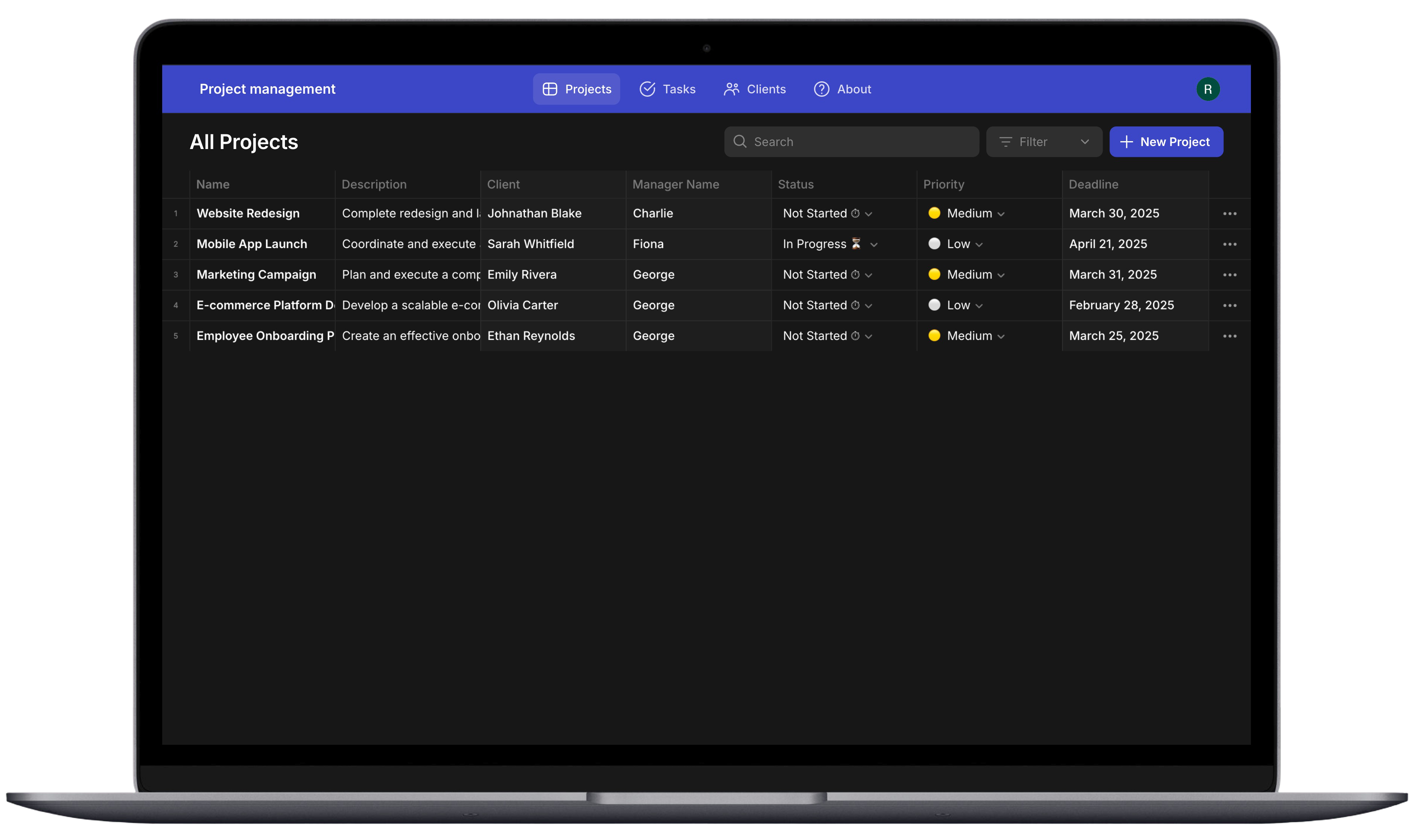
Instead of asking around to find project status, the main view shows everything in one table—name, client, manager, status, priority, deadline. Search and filters let you find what you need without scrolling through rows or opening multiple spreadsheets.
Kanban Boards
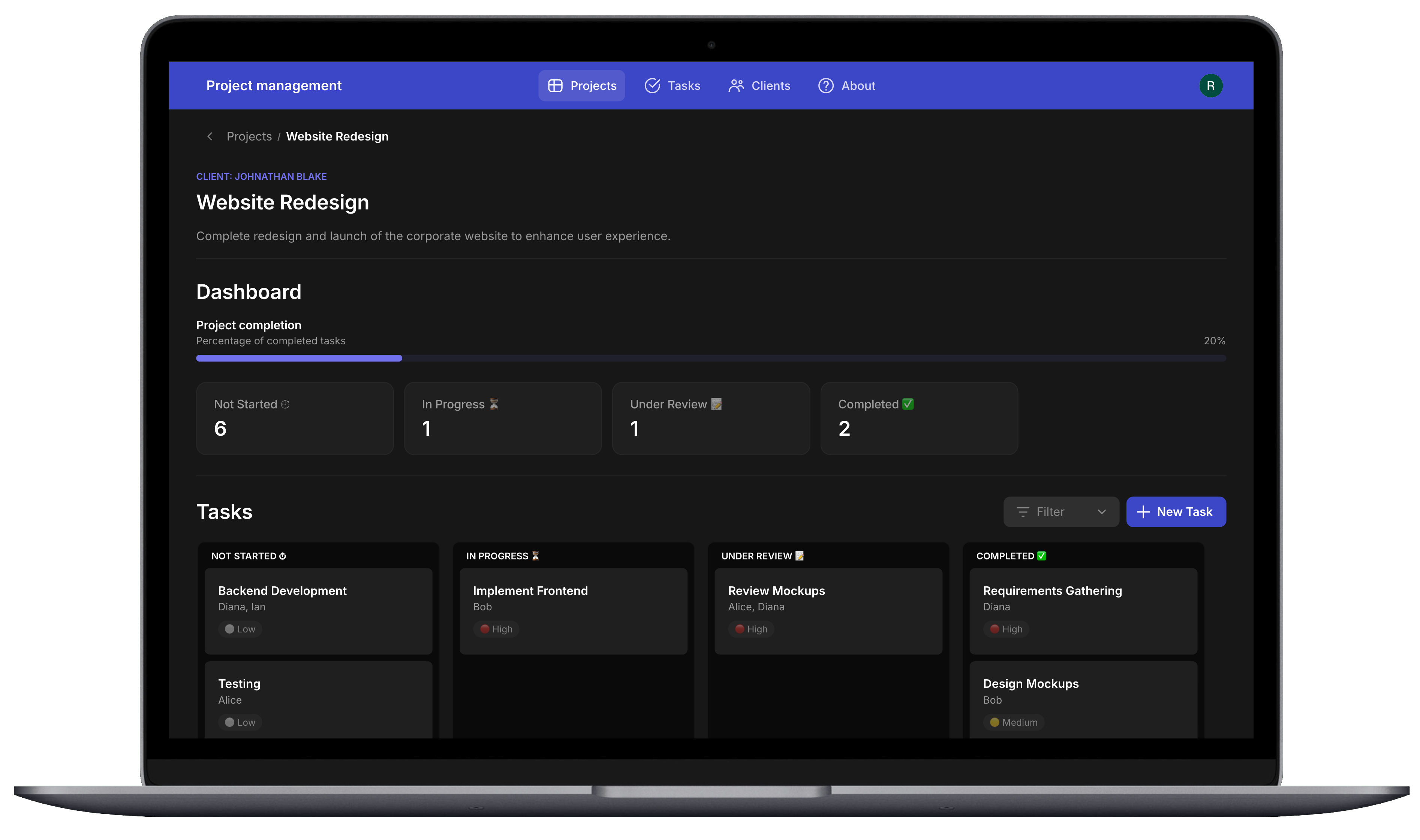
You shouldn't need to dig through task lists to know if a project is on track. Each project dashboard shows completion percentage and task counts by status, with a drag-and-drop Kanban board below. Move tasks between columns to update status without opening forms.
Task Details with Storage
When task files live in email attachments, context gets lost. Each task stores priority, status, deadline, assignees, file attachments, image attachments, and comments in one place instead of scattered across tools.
Client Integration & Connectivity
Connect client info to their projects and tasks

Client Profiles
Client contact details shouldn't require digging through email or another spreadsheet. Client cards show photos, names, industry, and contact info. Click into a profile for full details, call/email buttons, their project list, and a map with directions.
Connected Relationships
Clients, projects, and tasks are all connected—click into a client and see their projects, click into a project and see its tasks. No hunting across tabs or files to understand what's happening for each account.
Universal Search & Filtering
Spotting bottlenecks is hard when tasks are buried in different spreadsheets. Every section has search and filters tailored to what matters—filter tasks by project or status to see all 'In Progress' work, or narrow to one client's projects.